OCTOPUFFER turns the music on your own server into a fast, install-anywhere web player — with living, audio-reactive visualisers and smart library tools. Your files never leave your network.
Like Plex or Jellyfin, but built from the ground up for music. Point it at the folder on your NAS, open it from any device, and your collection just works — fast, private, and gorgeous.
Point OCTOPUFFER at your music library and it indexes tens of thousands of tracks. Nothing is uploaded — your library stays on your hardware.
It's a Progressive Web App. Open it in any browser on phone, tablet or desktop, then add it to your home screen for a native-app feel.
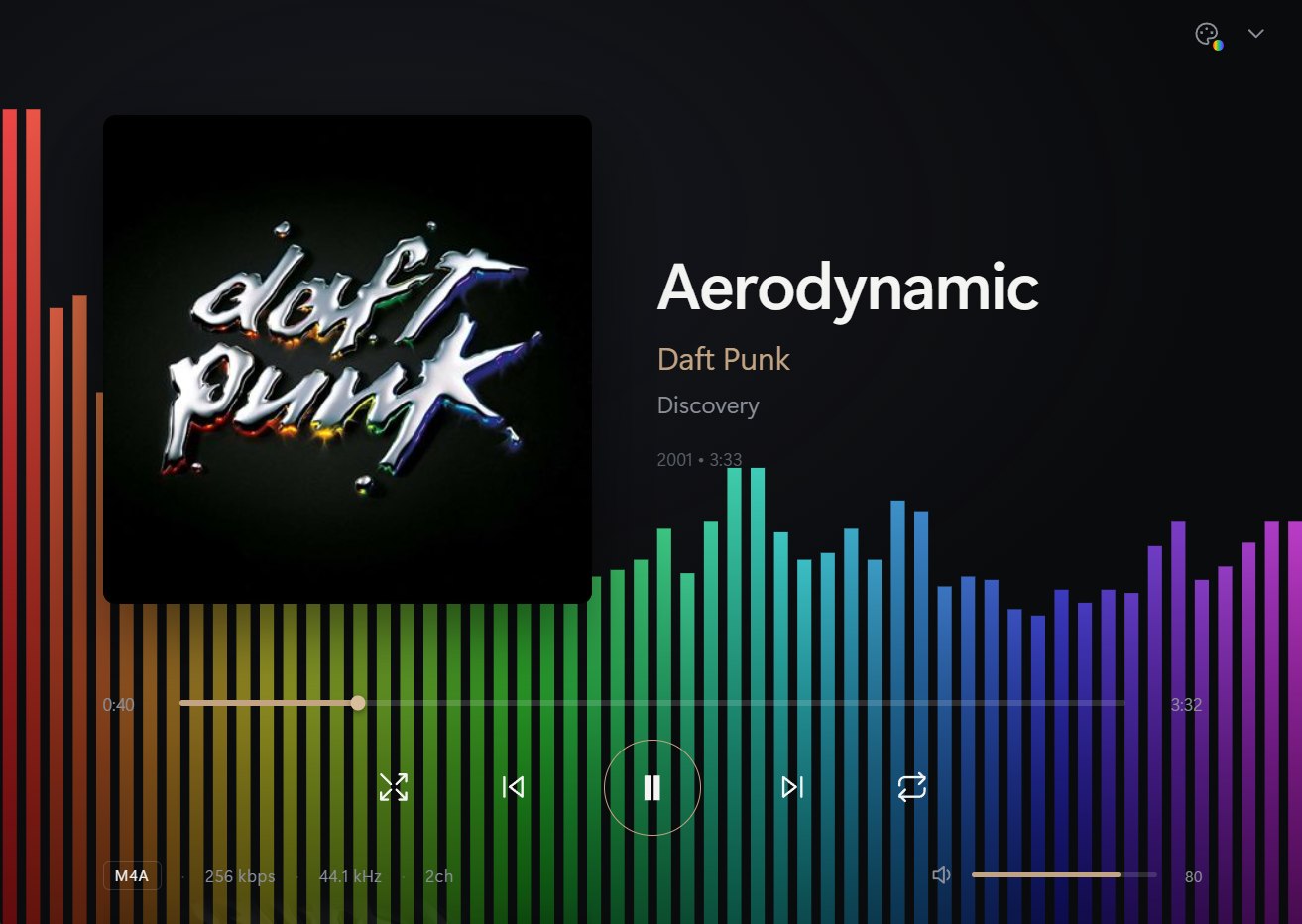
A crisp graphic equaliser and a hand-built WebGL fluid swirl — both audio-reactive, with five colour schemes you cycle right from Now Playing.
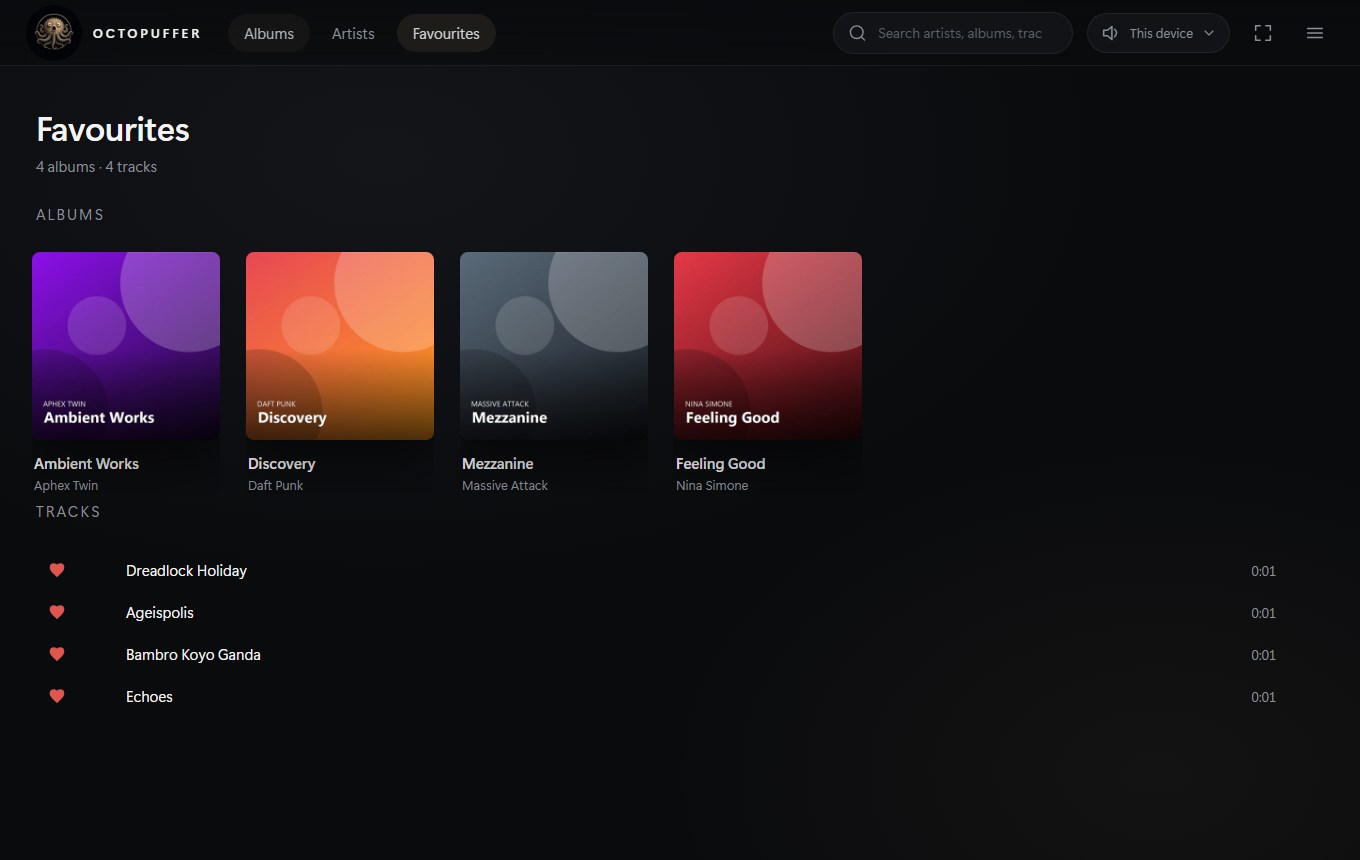
NewTap the heart on any track or album. Everything you love collects in a dedicated Favourites view, ready whenever you are.
Find missing artwork, pull band photos from Wikipedia, enrich tags — genre, year, group vs solo, line-up — from MusicBrainz, surface duplicate albums, and see your whole collection at a glance in a stats dashboard.
Play through the browser on whatever device you're holding, or send sound straight to the speakers wired to the server itself.
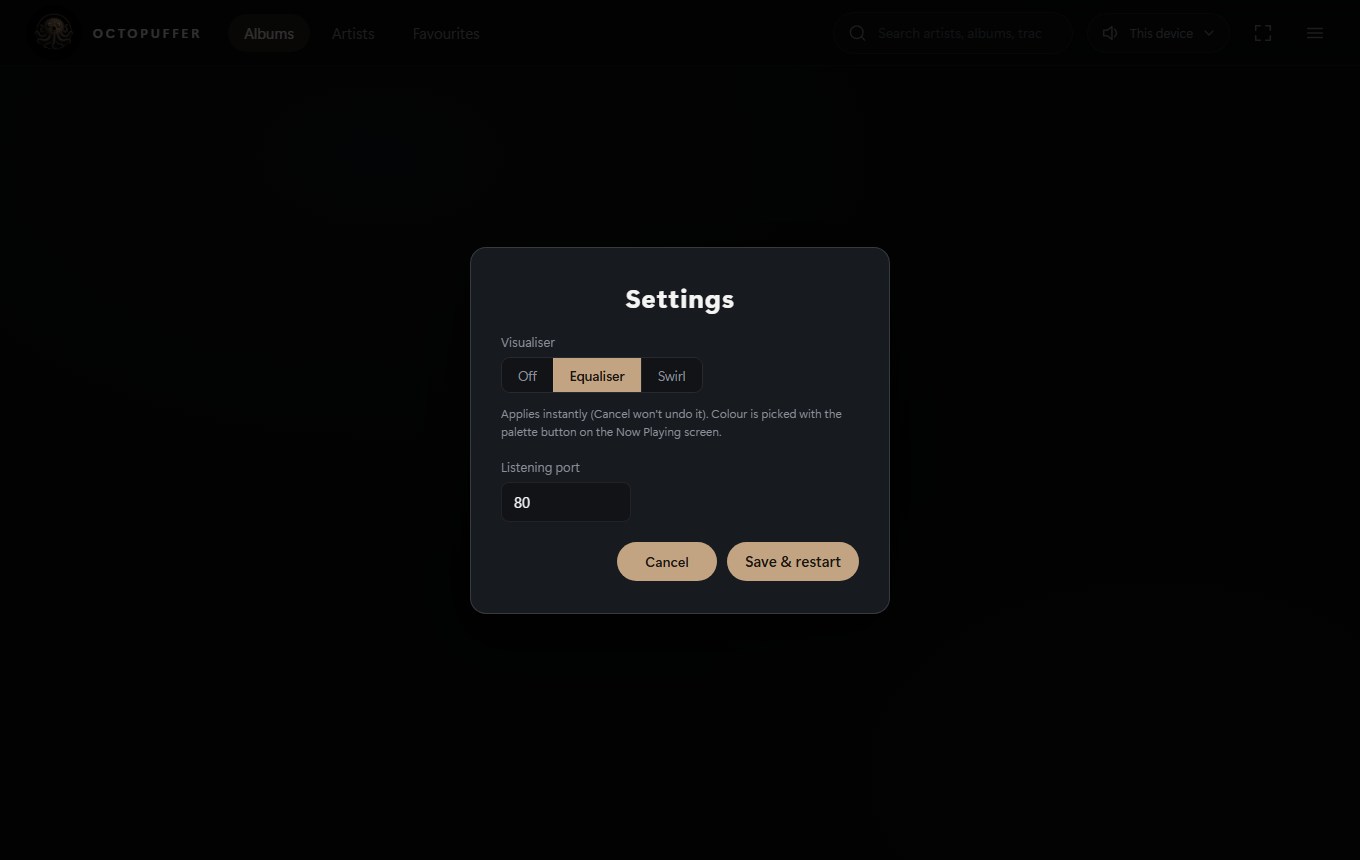
One click to launch, an optional start-on-boot, and a settings panel to pick your own listening port. Quietly hosts the server from your system tray.
A full-text index over your whole collection means artists, albums and tracks appear the moment you start typing — even across 20,000+ files.
No accounts, no tracking, no streaming middle-man. Free forever, running entirely on infrastructure you already own and control.
Add it to your home screen, then control playback from the lock screen — artwork, play, pause and skip — while the music keeps going as the screen sleeps.
NewReal screenshots from the app — a fluid WebGL swirl and a crisp equaliser, both audio-reactive in five colour schemes.
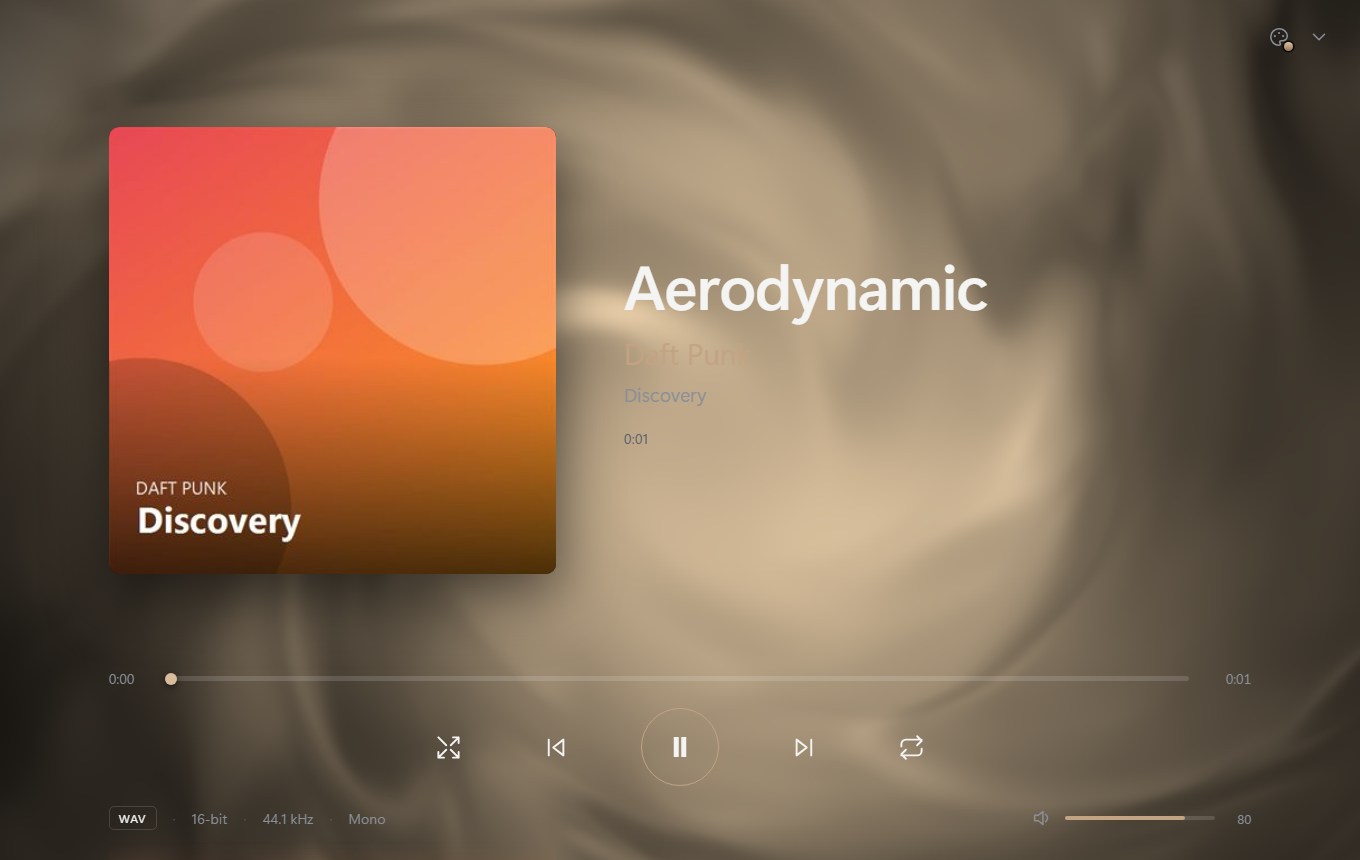
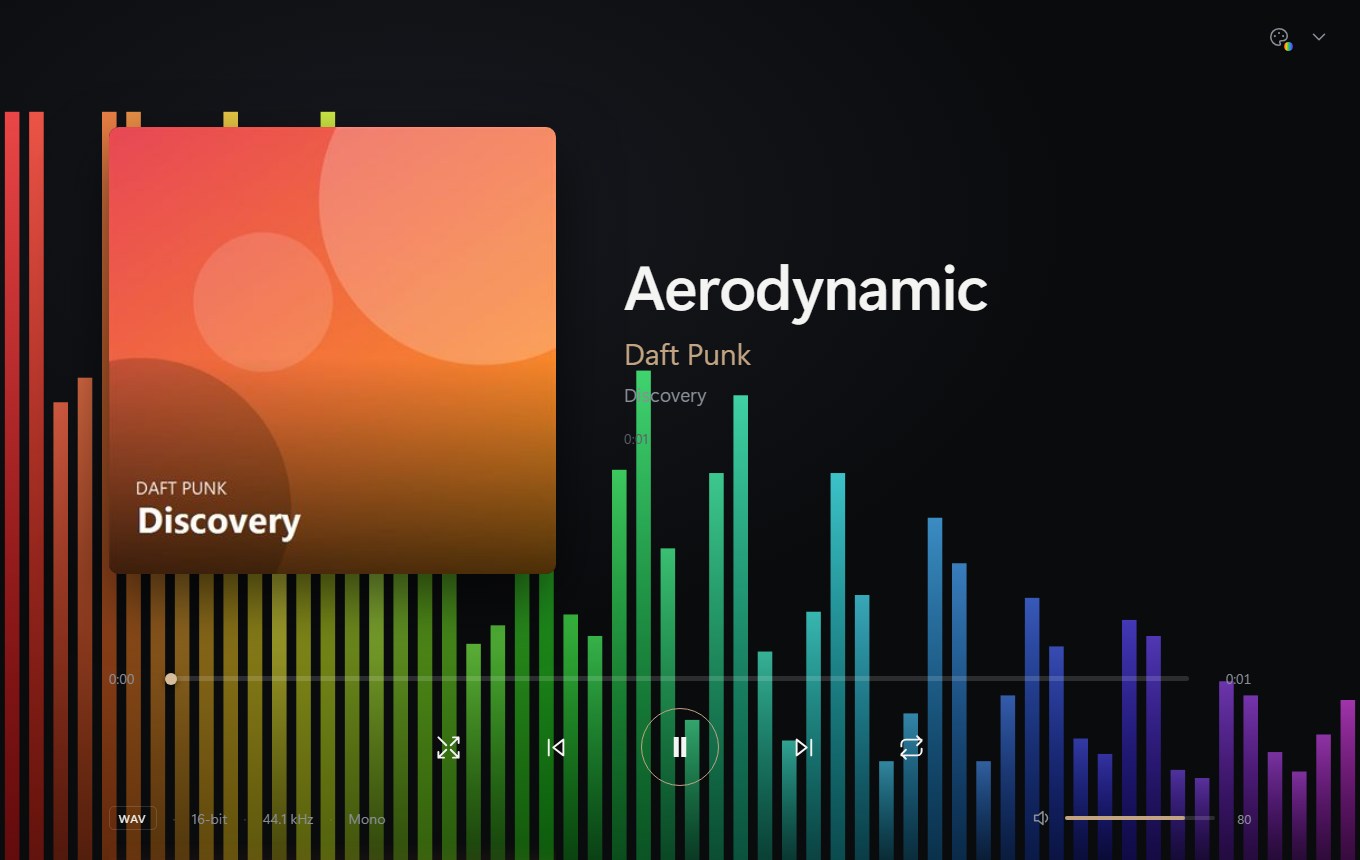
Both run on the Web Audio engine inside OCTOPUFFER and dance to whatever's playing — in five colour schemes you cycle from Now Playing. Prefer calm? Switch the visualiser off in Settings.
One calm, dark theme with a warm gold accent — the same language across every screen.
Browse albums and artists with track counts, jump with the A–Z index, find anything instantly.
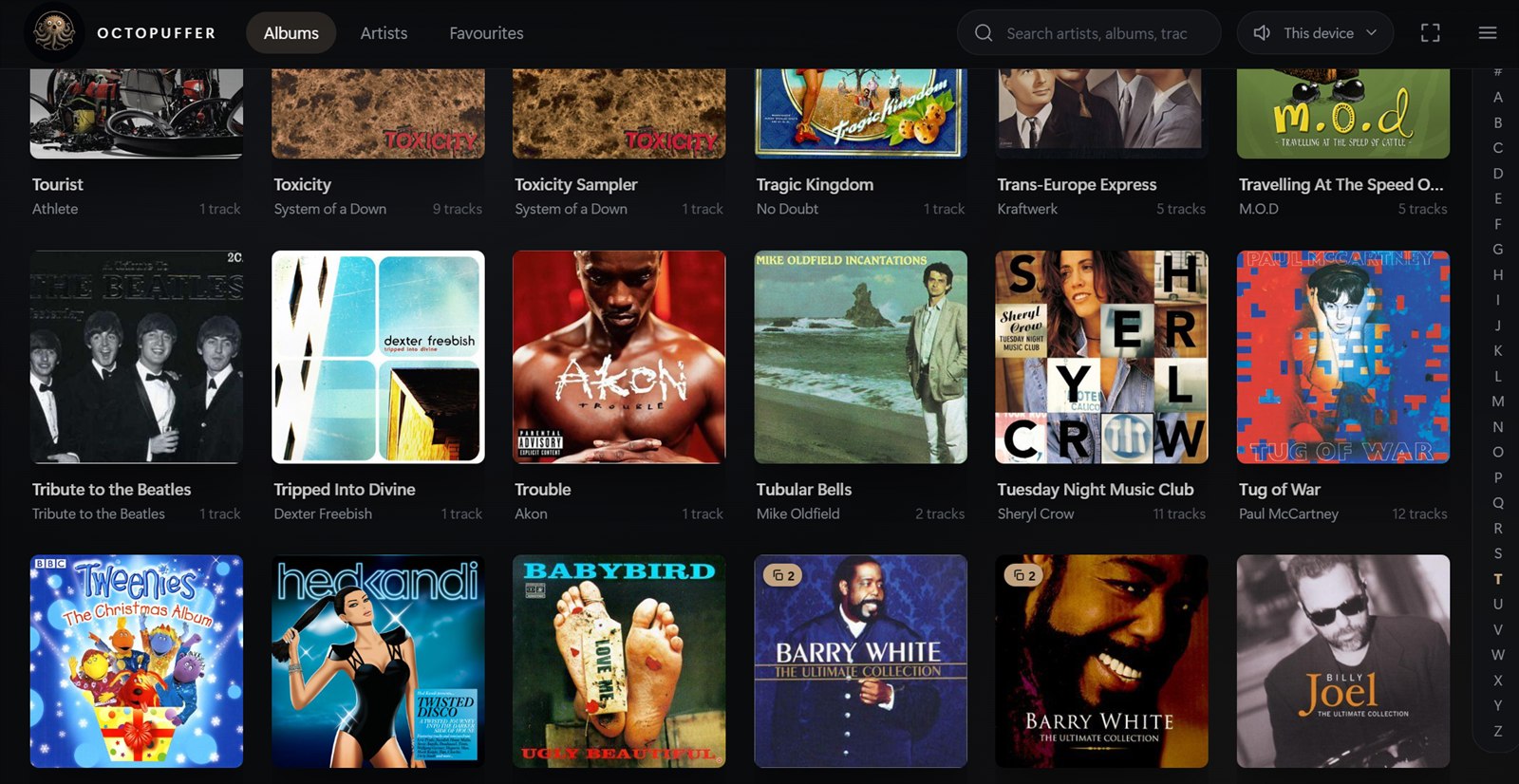
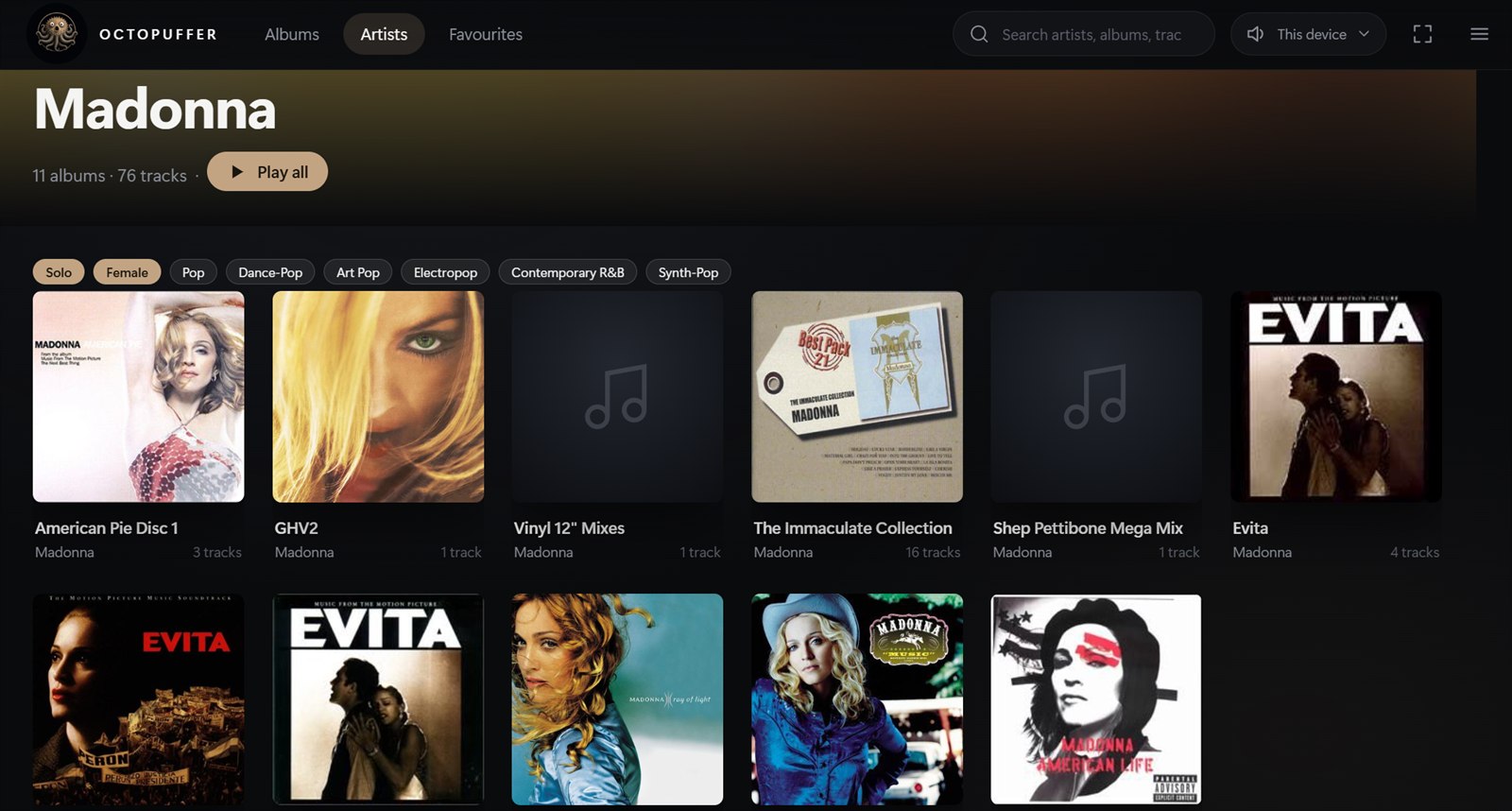
Band photos, genre tags and per-album track counts — enriched from MusicBrainz and Wikipedia.
Everything you've hearted, albums and tracks, in one tidy place.
Choose your visualiser, set the listening port — small touches, your way.
Install the server on the computer that holds your music, or point it at a network share. Open the player in a browser from anything else on your network. Upgrade to unlock secure streaming anywhere in the world.
Windows lands first; Linux & macOS follow in Winter 2026.
Everything you've seen here is free, forever. A one-time £9 perpetual licence adds remote access and multiple users — no subscription.
A one-time payment — no subscription. Everything in Free, plus:
 OCTOPUFFER